Buying guide
Security camera installation cost in Sydney: 2026 price guide
What wire-free camera installation costs in Sydney in 2026, what pushes the price up, and what to check before you accept a cheap quote.
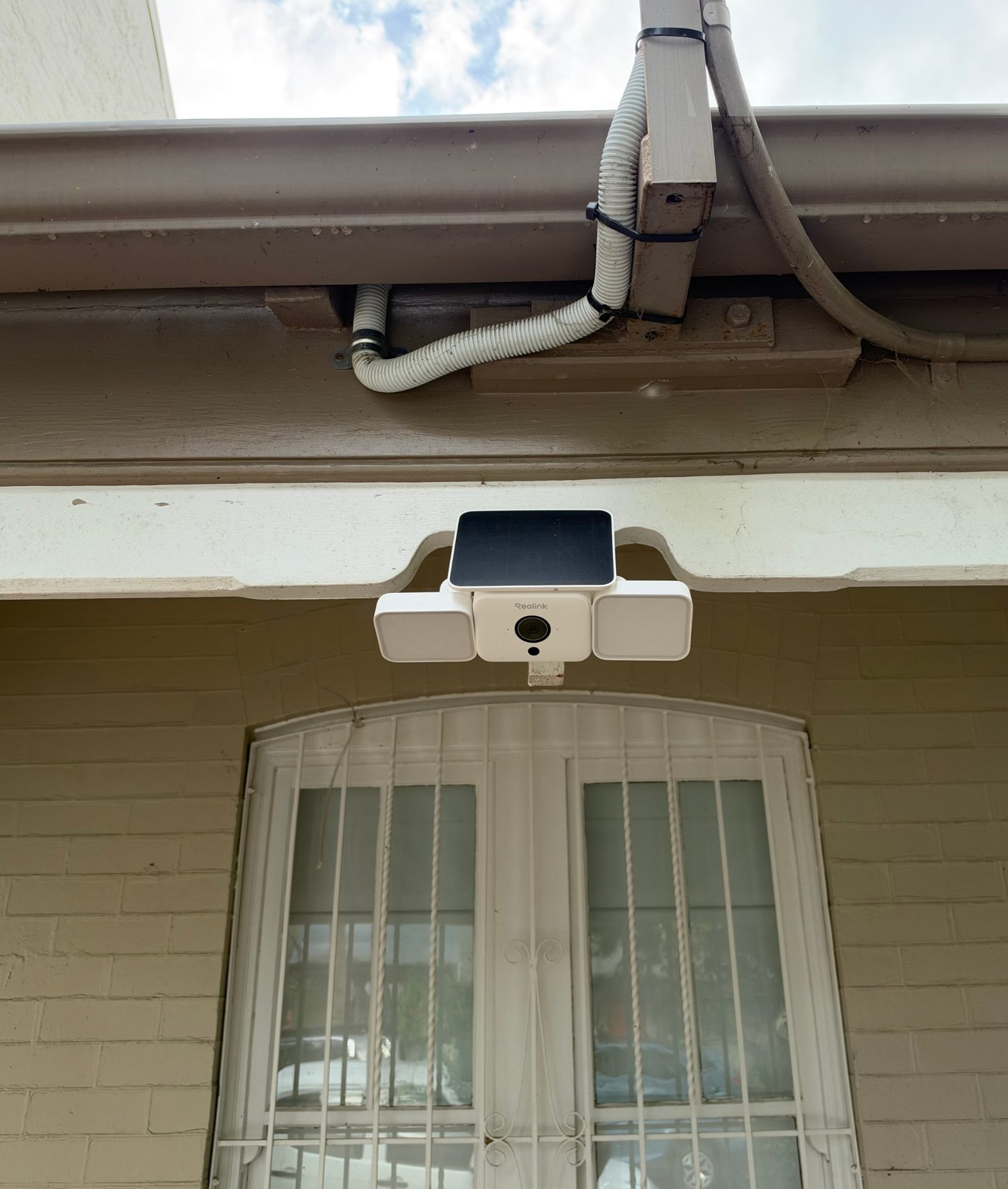
Installing a wire-free security camera in Sydney costs from $149 for one camera with us, from $289 for two and from $499 for four, not counting the cameras themselves. Solar cameras start from $199 installed and 4G solar cameras from $249 for the first one. The final price depends on how high the cameras go, what wall they go on and how many you install in the same visit.
Some cost guides online are pricing cabled CCTV with a recorder in the roof. That's a different job, with cable runs and more labour, and it's not something we do. This guide covers Wi-Fi, battery, solar and 4G cameras, which go up without any cabling.
How much does it cost to install security cameras in Sydney?
These are our standard installation prices for Wi-Fi and battery cameras. All are "from" prices. We aren't registered for GST, so no GST is added on top.
| Number of cameras | Standard installation from |
|---|---|
| 1 | $149 |
| 2 | $289 |
| 3 | $399 |
| 4 | $499 |
| 6 | $699 |
Solar cameras cost a little more because there's a panel to mount and angle as well as the camera:
| Solar cameras | Installation from |
|---|---|
| 1 | $199 |
| 2 | $389 |
| 3 | $549 |
4G (SIM) cameras start from $249 for the first 4G solar camera and from $199 for each additional one. 4G/SIM activation and configuration is from $75. The full list is on our installation prices page.
Why do extra cameras cost less each?
A large part of any job is the same whether you have one camera or six. That includes travelling to you, setting up the ladder, checking your Wi-Fi, setting up the app and account, and walking you through it at the end.
Once that's done, each extra camera is mostly positioning, mounting and tuning. That's why the price for two cameras is well under double the price for one, and four cameras cost a lot less than four separate visits.
If you're thinking about a back-lane camera "later", it's usually cheaper to do it in the same visit than to book a second call-out for one camera.
What changes the price?
The base price assumes a straightforward single-storey mount on a surface that's easy to fix to. These are the things that add to it:
| Factor | Added cost | Why |
|---|---|---|
| Double-storey or high access | from $100 per camera | Taller ladder, more set-up time, slower and safer work at height |
| Brick, concrete or other difficult surface | from $40 per camera | Drilling masonry takes longer and needs different fixings |
| Solar panel | built into the solar prices above | A second item to mount and aim at the sun |
| 4G / SIM camera | from $249 first camera, plus activation from $75 | Signal checks, SIM set-up and configuration |
| Removing old cameras | from $40 per camera | Taking down the old units |
| Wi-Fi problems on site | troubleshooting from $169 for the first hour | Diagnosing dropouts or weak signal before the camera can work |
Brick is common across the Inner West and Eastern Suburbs, where plenty of terraces and semis are double brick, and two-storey rear walls are common too. It's worth working out early which cameras will go high or onto brick.
How to estimate your own job
Use this checklist to build a rough "from" figure before you ask for a quote:
- Start with the base price for the number of cameras: standard, solar or 4G.
- Count the high cameras. Add from $100 for each one above single-storey height.
- Count the cameras going on brick, concrete or render. Add from $40 for each.
- For 4G cameras, add SIM activation and configuration, from $75.
- Old cameras coming down? Add from $40 for each one removed.
- Unsure about Wi-Fi at the far end of the block? Mention it when you ask for a quote, as troubleshooting is charged separately.
For example, two standard cameras on a single-storey terrace, one on the brick front, is the two-camera price plus one masonry fee. Your final quote still depends on what's found on site.
What's included in the installation price?
A camera on a wall isn't the finished job. Our installation price covers:
- Positioning: choosing a spot that covers the gate, door or driveway you care about, with usable Wi-Fi signal.
- Mounting: fixing the camera (and panel, for solar) securely.
- App set-up: getting the camera onto your account and phone.
- Motion zones and notifications: telling the camera what to ignore, so you aren't alerted by every passing car.
- Testing: walk-tests to check it records what it should.
- Handover: showing you how to find, save and share clips.
Motion settings matter more than most people expect. On real cameras we measured, triggers ranged from 34 to 135 a day, far more than the 10 to 15 people often assume. When we switched a busy business driveway camera to person-only detection with a detection zone, its recordings dropped by about 97%, from about 1,300 a day to under 40. Getting this right at installation is the difference between useful alerts and alerts you end up muting.
Supplying the cameras vs using your own
You can have us install cameras you've already bought, such as Reolink, Eufy, Arlo, Tapo, Ring or Google Nest. The installation prices are the same. See installing cameras you already own.
If we supply Reolink hardware, we charge what Reolink's own Australian store is charging that day, checked when we quote. We also fit a 64GB memory card and include six months of WireFree Cloud, which keeps an off-site copy of your recordings stored in Sydney. No card is needed during the free period.
How long does a 64GB card last? Across 333 motion recordings from three Reolink cameras, the average clip was about 2 MB. On that basis a 64GB card holds around six months of motion-triggered recording on average, but it depends on how often your camera is triggered. A busy camera fills it faster.
After the free six months, the cloud is optional. Plans start at $3.99 a month or $39 a year for one camera with 90 days of recordings, and $59 a year covers up to five cameras for 90 days. Not every Reolink model can upload, and some older models need a Reolink Home Hub, so check before relying on it.
Red flags in a cheap security camera quote
A low price isn't automatically a problem. These are the gaps worth asking about before you agree to one.
No security licence. NSW Police says that under the legislation, anyone involved in the sale, installation, maintenance, repair or servicing of security equipment needs a Class 2C security licence. Its FAQ confirms this applies to licensed electricians installing cameras for clients too. The rules sit in the Security Industry Act 1997. You can check any installer on the NSW Police Verify a Security Licence page. Ours is WireFree Security - David Oldmeadow NSW Master Security Licence No. 000111515. More detail is in do you need a licence to install CCTV in NSW. This is general information, not legal advice; check with NSW Police for your situation.
A per-camera price with no questions about height or walls. If the quote doesn't ask about storeys or wall type, expect extras on the day, or a camera mounted somewhere convenient rather than useful.
"Mount only", with no set-up. If motion zones and notifications aren't included, you may end up with a camera that records constantly. On one camera we measured, a single cobweb in front of the lens caused over 9,000 recordings and nearly 1 TB in a few days.
No Wi-Fi check at the mounting spot. A camera at the back fence of a long, narrow block can be well outside your router's range. Weak signal means missed or patchy clips.
Hardware without a model number. If the quote says "4 x HD cameras" and nothing else, ask for the brand and model so you can compare like with like.
Unclear storage. Ask where the footage goes: memory card, hub, cloud or nowhere. Also ask whether a subscription is needed after any trial ends.
GST not stated. When comparing quotes, check whether each one includes GST. Ours never adds GST because we aren't registered for it.
Do you need a professional at all?
Not always. One battery camera on a ground-floor fence, near the router, set up with the brand's app, is a reasonable DIY job for most people.
A professional is more worthwhile when cameras go above a single storey, onto masonry, onto solar panels that need aiming, or onto 4G where there's no Wi-Fi, such as a garage, building site or holiday property. It's also worth it if you've already tried and are drowning in notifications. Details are on our solar security cameras and 4G security cameras pages.
The short version
For wire-free cameras in Sydney, budget from $149 installed for one camera, from $499 for four, and from $199 for a single solar camera. Add from $100 per camera for second-storey work and from $40 per camera for brick or concrete. Group cameras into one visit where you can, check the installer's licence, and make sure the quote includes motion set-up, not just mounting. When you ask for quotes, tell each installer your number of storeys, wall types and where your router sits, so you can compare them properly.
Common questions
Is it cheaper to install security cameras myself?
Yes, if the job is simple. A single battery or Wi-Fi camera at ground level, close to your router, can usually be set up with the manufacturer's app. Paying an installer makes more sense for second-storey mounts, brick or concrete walls, solar panels that need aiming, 4G cameras, or when you need motion zones tuned so alerts are useful. In NSW, anyone paid to install security cameras for you needs a Class 2C security licence.
Do I have to pay a monthly subscription after cameras are installed?
Not necessarily. Reolink cameras we supply come with a 64GB memory card, so they record in the camera without a subscription. A subscription mainly buys an off-site copy, which matters if a camera is stolen or damaged. When we supply Reolink cameras, six months of WireFree Cloud is included with no card needed, and after that plans start from $3.99 a month or $39 a year for one camera. You can choose not to continue.
Can you install a camera I bought online or from a big retailer?
Yes. We install cameras customers have already bought, including Reolink, Eufy, Arlo, Tapo, Ring and Google Nest, at the same installation prices as cameras we supply. Before booking, check you have all the mounting parts and, for battery models, that the camera is charged. Having the app downloaded and your Wi-Fi password handy also speeds things up on the day.
Which parts of Sydney do you install in?
WireFree Security is based in Erskineville and mainly works within about 20 km of there, covering the Inner West, City of Sydney, Eastern Suburbs and nearby suburbs. Jobs elsewhere in Sydney are quoted case by case, so it's still worth asking if you're further out. When you get in touch, include your suburb, the number of cameras and storeys, and your wall types so the quote is as accurate as possible.
Sources
- I'm a licensed electrician. Do I need a security licence to install security cameras for clients? — NSW Police Force
- Verify a Security Licence — NSW Police Force
- Licensing requirements for security services and equipment — NSW Government buy.nsw / ProcurePoint
General information, not legal advice. Prices are “from” prices; your quote depends on the site.