How-to
Security camera false alerts: spiders, trees and how to fix them
One cobweb made one of our cameras record over 9,000 clips in a few days. What actually causes false alerts, and the settings and angles that fix them.
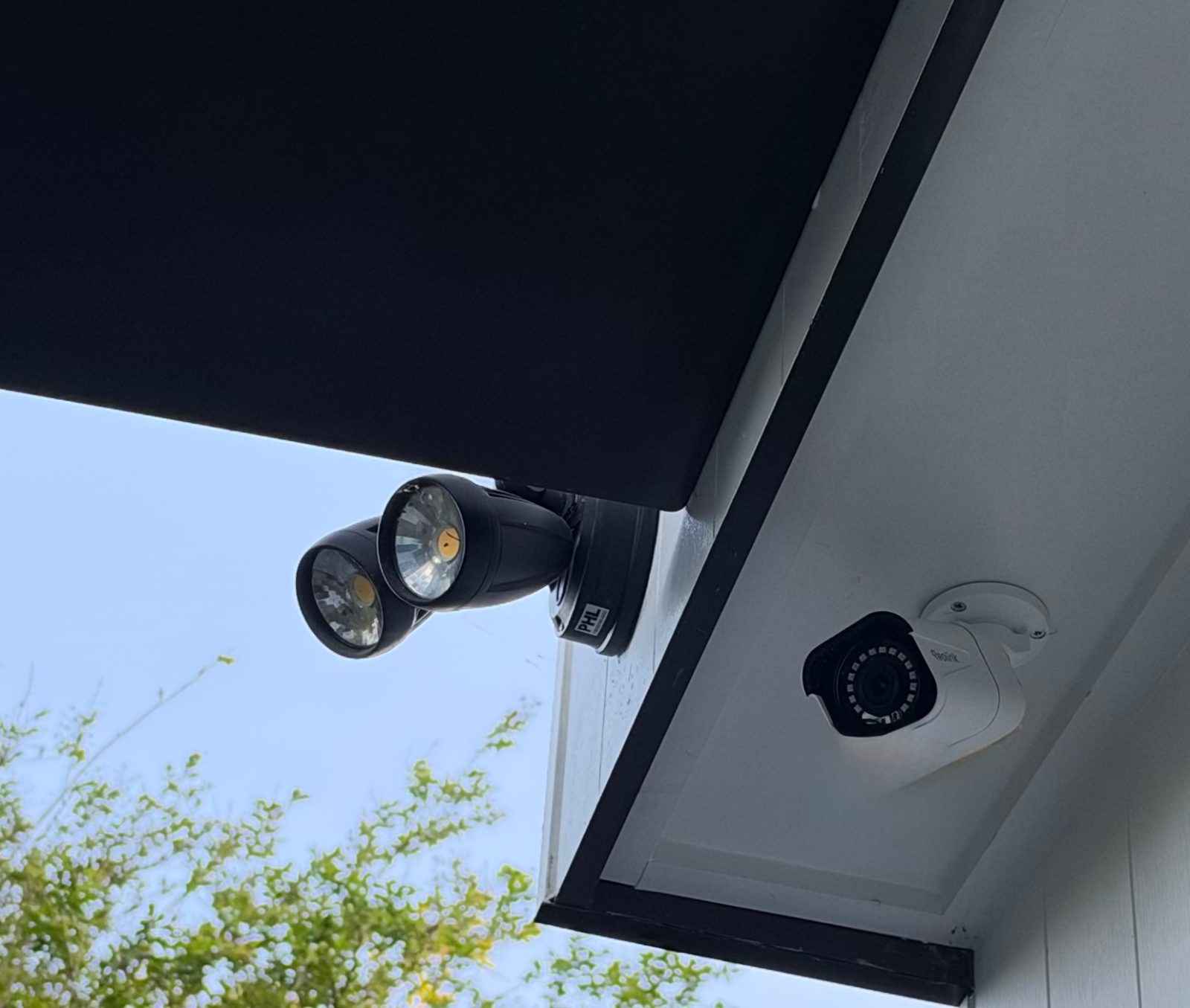
Most security camera false alerts aren't really false: something in the picture moved or changed, such as a cobweb, a branch, a shadow, headlights or insects lit up by night vision. The fix, in order: clean the lens and clear webs, re-aim the camera, switch from "any motion" to person or vehicle detection, and draw detection zones. Only then lower the sensitivity, one step at a time.
What is actually triggering your camera
Before you change any settings, open the last 10 or 20 unwanted clips and look for a pattern. When do they happen, and where in the frame does the movement start? That usually tells you the cause.
| When the alerts happen | Likely cause | First fix |
|---|---|---|
| Mostly at night, clip looks foggy or has a bright blob near the lens | Cobweb, spider or insects lit up by infrared | Clear the web, wipe the lens, check again the next night |
| Windy days | Branches, shrubs, washing, flags | Leave that area out of the detection zone, or re-aim |
| Sunny afternoons | Moving shadows, sudden changes in brightness | Turn on person/vehicle detection and switch off "any motion" |
| After dark, from the street side | Headlights sweeping across walls or windows | Pull the zone back from the street, angle down |
| Rain | Raindrops, water running off gutters | Person-only detection; a hood or eave over the camera |
| All the time, with no visible cause | Camera facing glass or a mirror, a heat vent, or sensitivity set too high | Reposition; check for vents or reflective surfaces |
Motion detection vs PIR vs person detection
Cameras decide something has happened in one of three ways, and each one goes wrong differently.
Pixel (video) motion detection. Reolink explains that its Wi-Fi and PoE cameras compare frames: if two frames differ, the alarm triggers, so a change in light can trigger it too. Reolink also lists rain and bugs among the usual culprits (Reolink: How to Reduce False Alarms of Motion Detection). A swaying web right in front of the lens changes a big part of the picture, so it counts as a lot of motion.
PIR (heat) sensors. Reolink's battery cameras use a passive infrared sensor, which picks up changes in infrared radiation. A person walking past a wall shows up as a jump from wall temperature to body temperature (Reolink: Introduction to PIR Motion Sensor). PIR still has its own false alarms. Reolink's troubleshooting page for battery cameras lists moving plants, reflections, strong light sources, cameras facing a mirror, and nearby outlets such as air-conditioner vents (Reolink: PIR False Alarms of Battery-powered Cameras).
Person, vehicle and animal detection. This adds software on top of motion or PIR detection to work out what moved. On Reolink cameras that support smart detection, you choose which object types trigger recordings and alerts. On Ring, the equivalent feature (Smart Alerts) needs a compatible Ring subscription (Ring: Setting up Smart Alerts). Detection still isn't perfect: Reolink acknowledges that a spiderweb can be detected as a person, vehicle or pet.
If you're still choosing a camera, how well each brand handles this matters more than the resolution figure on the box. We compare the main brands in Eufy vs Arlo vs Reolink for Sydney homes.
One cobweb, 9,000 recordings: why false alerts cost more than annoyance
We measure our own cameras. Across 333 normal motion recordings from three Reolink cameras, the average clip was about 2 MB, and 90% were under 3.4 MB. Real cameras were triggered between 34 and 135 times a day, far more than the 10 to 15 people often guess. At that rate, a 64GB card holds around six months of motion recordings on average, though it depends heavily on how often your camera is triggered.
Then a spider built a web in front of one camera. It triggered almost constantly: over 9,000 recordings and nearly 1 TB of video in a few days. A web you never noticed can cause all of these problems:
- Your memory card overwrites itself fast. Nearly 1 TB is many times what a 64GB card holds, so the clip you actually need may already have been recorded over.
- Battery and solar cameras run down. Reolink notes that false alarms reduce battery life (Reolink: How to Extend the Battery Life of Battery Powered Cameras), and Ring says higher motion sensitivity drains battery-powered devices faster.
- Cloud uploads balloon. If your camera copies clips off-site (for example to WireFree Cloud), the junk uploads too, and the clip you want is buried among thousands of others.
- You stop looking. After the fiftieth alert about nothing, most people mute the app, which defeats the point of having a camera.
How to stop security camera false alerts, step by step
Work through these in order. The first four fix most cameras, and unlike turning the sensitivity right down, they don't make the camera miss real visitors.
- Clean the lens and clear webs. Use a soft brush or microfibre cloth, and check the hood and the mounting bracket too, because webs are often anchored there. Reolink's own advice for spiderweb false alarms starts with clearing the web or moving the camera (Reolink: How to Avoid False Alarms Caused by Spiderweb).
- Check the angle. Angle the camera slightly down so it shows your path, door or driveway rather than the street, sky or a hedge. Less street in the picture means fewer cars and headlights, and less filming of public space.
- Turn off "any motion". In the Reolink app, set recording and push alerts to person (and vehicle, if you need it) and untick "any motion". Reolink notes that "any motion" can trigger on brightness changes or trees swaying in the wind (Reolink: Troubleshooting Motion Sensor False Alarms). Other brands have similar settings, but not always for free, so check your brand's support pages.
- Draw detection zones. Leave out trees, the footpath, the road and your neighbour's yard. One catch: on most Reolink battery cameras, the "Others" (PIR) alarm type can't be partly masked. You can only cover all of it or none of it, because PIR sensors have no concept of zones. Person and vehicle zones can be drawn freely (Reolink: Non-Detection Zones for Battery-powered Cameras).
- Set object size and alarm delay. If a web or insect is being flagged as a person, Reolink's spiderweb page suggests adjusting the object size, setting an alarm delay of up to 2 seconds and turning down the smart detection sensitivity.
- Adjust sensitivity last, one step at a time. Lower it one notch, then walk past the camera at the distance you care about. Ring notes that lowering sensitivity reduces the detection range (Ring: Using Motion Detection). That's how people end up turning it down so far that the camera misses someone at the front gate.
- Use schedules where they make sense. Reolink suggests a proper recording and alert schedule can also cut false alarms. A shop camera might only need push alerts outside trading hours.
For battery Reolink models with a digital PIR, also look for the "Reduce false alarms" toggle. Reolink recommends turning it on.
Person-only detection and zones: a 97% drop on a busy driveway
The biggest improvement we've measured came from settings, not hardware. A camera covering a busy business driveway was making about 1,300 recordings a day.
Switching it to person-only detection, with a detection zone around the part of the driveway that mattered, brought recordings down to under 40 a day, a cut of about 97%. For a business owner checking footage after an incident, that's the difference between finding a clip in a minute and scrolling for an hour. There's more on cameras for shops, offices and workshops on our small business cameras page.
How to keep spiders off security cameras
Clearing a web often buys you only a week or two. A camera under an eave is a sheltered spot, and insects around it at night give spiders something to catch. Some things that help:
- Check the camera every few weeks, especially in the warmer months. A long-handled duster reaches most single-storey cameras.
- Watch your recording count. A sudden jump in clips is often the first sign of a new web.
- Avoid tight corners where you can. Webs build up where there's a sheltered anchor point. A camera on a flat wall a little below the eave usually gets fewer webs, though it gets less protection from rain.
- Never put anything on the lens. If you try insect repellent or sprays, keep them on the wall or bracket only, because a smeared lens causes its own problems at night.
- Trim, or zone out, nearby foliage. A jacaranda or bottlebrush moving at the edge of the frame will trigger pixel detection on every windy afternoon. If you can't trim it, leave it out of the zone.
- Think about angle before you mount. Repositioning fixes the problem for good; settings only filter it. Solar cameras also need their panel to face the sun, so choose the spot carefully. See our solar security cameras page for how we place them.
When it's not something you can fix in the app
Sometimes the honest answer is that the camera is in the wrong place. Common examples: facing a glass door or window, mounted near an air-conditioner outlet, aimed straight down a busy street, or a model that doesn't offer person detection at all.
If the camera is within easy reach, the steps above are well within most people's ability. If it's on a second storey, the job means a ladder and new mounting holes, and plenty of people would rather not. WireFree Security can reposition cameras, set up zones and detection, or sort out the app as part of Wi-Fi camera troubleshooting. Our installation prices list the troubleshooting and high-access rates.
The short version
Look at what's triggering the alerts before you touch the settings. Clear webs and clean the lens, angle the camera away from trees and the street, switch to person or vehicle detection, and draw zones. Lower sensitivity last, one notch at a time, and test each change. Check for new webs every few weeks, because one cobweb can fill a memory card in days.
Common questions
Will turning off 'any motion' mean my camera misses people?
Usually not, as long as the camera supports person detection and a person shows up clearly in the picture. The risk comes from people at the far edge of the frame, partly hidden, or directly below the camera. After changing settings, walk the routes you care about (gate, path, door) at different times of day and check that each walk produced a person alert. If one didn't, adjust the angle or zone before raising sensitivity.
Why are my false alerts worse at night?
At night most cameras switch to infrared, which lights up anything close to the lens: cobwebs, insects, rain and dust. Because they're so close, they look large and bright, so the camera reads them as significant movement. If your false alerts are mainly after dark, check for webs first. If the camera has a spotlight or colour night vision mode, it's worth testing whether that gives fewer false alerts at your house than infrared.
Do I need a subscription to get person-only alerts?
It depends on the brand. On Reolink cameras that support smart detection, person and vehicle detection is set up in the camera's settings in the Reolink app. Ring says its Smart Alerts, which pick out people, vehicles and packages, need a compatible Ring subscription. Eufy, Arlo, Tapo and Google Nest each handle this differently and change their plans from time to time, so check the brand's current Australian page before you buy.
Can rain trigger my security camera?
Yes. Reolink lists rain among the causes of motion detection false alarms, because raindrops and water running off gutters change the picture from frame to frame. Drops on the lens also blur the image and catch infrared light at night. Person-only detection removes most rain alerts. A camera mounted under an eave, or with a hood, gets fewer drops on the lens. Avoid mounting directly below a gutter that overflows.
How often should I clean my outdoor security camera?
Check it every few weeks and clean it whenever recordings look hazy or the alert count suddenly jumps, since a sudden increase is often the first sign of a new web. Use a soft brush or a microfibre cloth with a little water, and avoid harsh solvents that could damage the lens. Brush around the bracket and hood as well, because that is where spiders usually anchor their webs.
Sources
- How to Reduce False Alarms of Motion Detection — Reolink Support
- Introduction to PIR Motion Sensor — Reolink Support
- PIR False Alarms of Reolink Battery-powered Cameras — Reolink Support
- How to Avoid False Alarms Caused by Spiderweb — Reolink Support
- Troubleshooting Motion Sensor False Alarms with Reolink Cameras — Reolink Support
- How to Set up Non-Detection Zone for Reolink Battery-powered Cameras — Reolink Support
- How to Extend the Battery Life of Reolink Battery Powered Cameras — Reolink Support
- Using Motion Detection (Australia) — Ring Help
- Setting up Smart Alerts (Australia) — Ring Help
- Motion detection for Ring devices (Australia) — Ring Help
General information, not legal advice. Prices are “from” prices; your quote depends on the site.