Small business
Security cameras for a small shop: placement that actually helps
The four camera positions that matter in a small shop, how to beat shopfront glare, what NSW law says about telling staff, and how to keep footage long enough to use.
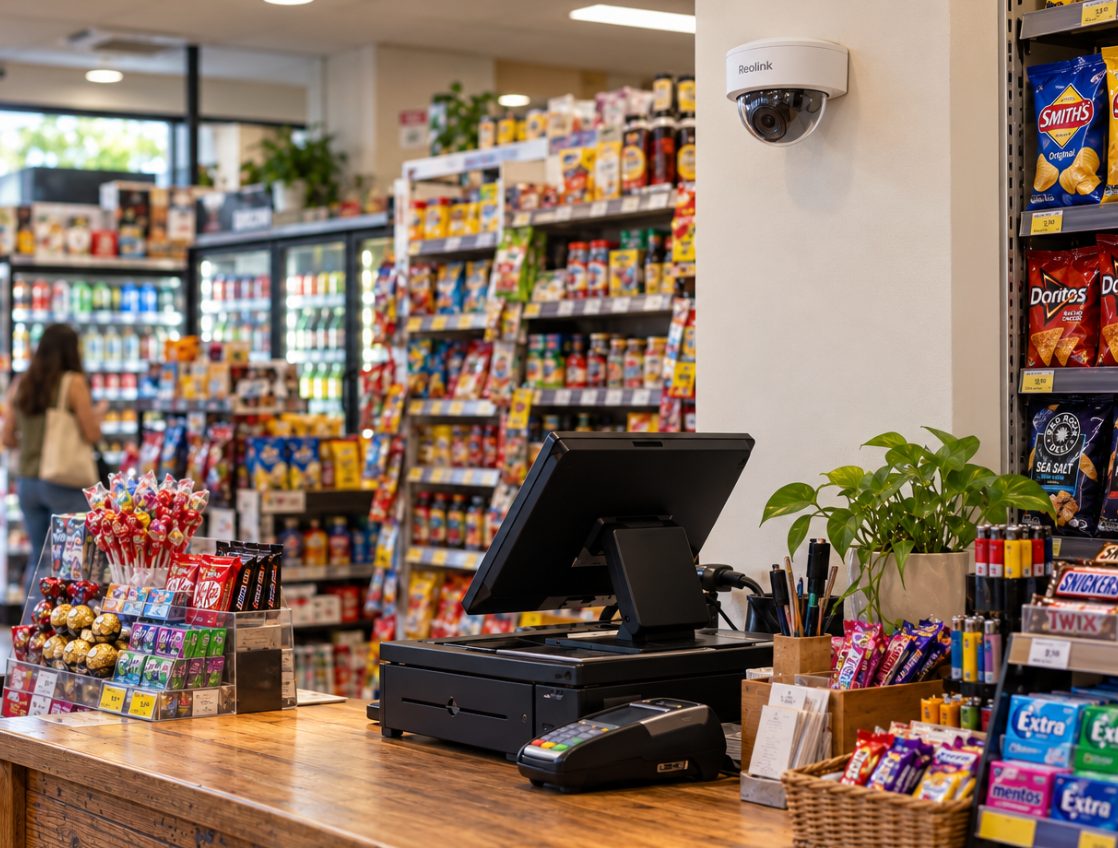
For a small shop, the camera positions that matter most are the inside of the entry door (facing in, mounted just above head height), the till, the stock room and the rear door. Get those four angles right, put up signs, give staff written notice, and make sure the footage lasts until you notice something is missing. Most strip shops on King St, Enmore Rd or Crown St can be covered well with three or four wire-free cameras.
Why placement matters more than the number of cameras
Retail theft stands out in the latest NSW crime figures. BOCSAR's June 2026 quarterly update found that over the two years to June 2026, steal from retail store was the only one of 13 major offence categories to increase significantly, up 10.4%. BOCSAR's accompanying media release shows it rose 9.5% in Greater Sydney over the same period.
If you look up your own area on BOCSAR, keep in mind that City of Sydney figures (which take in Crown St) are calculated per resident. So many people work in or visit the area that the rate per resident overstates the risk for any one shop.
What the numbers don't show is how often shop footage turns out to be useless. A wide shot from a ceiling corner proves something happened, but it rarely shows a face clearly enough to identify anyone. Give every camera one job: a face, a pair of hands, or a door.
Where to put cameras in a small shop
| Position | Where to mount | What it should capture | Common mistake |
|---|---|---|---|
| Entry door | Inside, opposite or beside the door, about 2.2–2.4 m high, facing in | Every face as people walk in | Mounting it at ceiling height so you get the tops of caps |
| Counter and till | Behind and above the staff side, angled over the counter | Hands, cash drawer, counter top, customer's face | Pointing it at the shop window, so it records the street all day |
| Stock room | Inside, covering the door and the main shelves | Who goes in, what comes out | Using a wide view of the whole room that shows no detail |
| Rear door and lane | Outside under an eave or awning, or inside facing the door | Deliveries, bins, anyone trying the door after hours | Covering the whole lane and getting alerts for every passer-by |
Entry door, facing in
This is the camera most likely to identify someone. Mount it inside the shop so people walk towards it, high enough to be out of easy reach but low enough to see under a cap brim. Aim for the doorway to take up roughly the middle third of the frame, so faces are large.
Facing in also solves a lighting problem, covered below. A camera outside pointing at the door sees people's backs as they enter.
Counter and till
The till camera should show the staff member's hands, the cash drawer and the counter top, with the customer's face across the counter if possible. In a narrow strip shop, one camera mounted high behind the counter usually does both.
Angle it so it can't read card PINs being entered on the terminal. You want the transaction, not your customers' PINs.
Stock room
Stock rooms in older strip shops are often a back room or a hallway off the kitchen. A camera that covers the door is usually enough: you see who went in, when, and what they carried out. If high-value stock sits on one shelf, a second, tighter view of that shelf beats a wide view of everything.
Rear door and lane
Rear lanes behind King St and Enmore Rd are where deliveries arrive and bins live, and where anyone trying the back door after hours will be. A battery or solar camera under the eave covering the back door works well here. Draw the motion zone around your door and step only, not the whole lane, or you will get an alert for every cat and late-night walker.
Lighting and glare from shopfront glass
Shopfronts are mostly glass, which causes three problems.
Night vision bouncing off the window. A camera inside pointing out through glass at night lights up its own reflection with infrared, and the footage turns to white haze. Either turn off infrared on that camera or mount it outside under the awning.
Silhouettes in the daytime. A camera facing a bright doorway or window exposes for the daylight, so everyone walking in is a dark shape. This is the main reason the entry camera should face in, with the bright window behind it rather than in front. If you have to face the light, choose a camera that lists WDR (wide dynamic range) and test it on a sunny afternoon.
Afternoon sun. West-facing shopfronts get low sun straight through the glass. Check your till camera between 3 pm and 5 pm before you settle on the angle.
After hours, leaving one low light on inside often gives clearer colour footage than relying on infrared alone.
How many cameras does a small shop need?
| Shop type | Usual starting point |
|---|---|
| Single-room café or boutique, no rear access | 2: entry and till |
| Typical strip shop with back room and lane | 3–4: entry, till, stock room, rear door |
| Larger shop or two entrances | 5–6, adding a second entry or high-value display |
Wire-free cameras suit most small shops: a plug-in Wi-Fi camera near a power point for the till, and battery or solar cameras where there's no power. The weak spot is Wi-Fi reach. Strip shops are often long and narrow, and the router at the front may not reach a camera in the back lane, so test the signal at each spot before mounting.
Be honest with yourself about what you need. If you want continuous 24-hour recording on eight or more cameras, a wired system with a recorder is a better fit. We don't install those, so get a cabling installer to quote.
Set motion detection properly
A shop camera sees movement constantly during trading hours. In our own testing, switching a busy business driveway camera to person-only detection with a drawn detection zone cut its recordings by about 97%, from about 1,300 a day to under 40. Do the same for your till and entry cameras: zone out the window and the street, and alert only on people. Our guide to fixing false alerts goes through it step by step.
Telling staff: notice, signs and areas you can't film
If you have employees, the Workplace Surveillance Act 2005 (NSW) applies. In general terms:
- Written notice (section 10). Staff must get written notice at least 14 days before camera surveillance starts, unless they agree to a shorter period. Email counts. New staff who start after the cameras are running must get it before they start work. The notice must say what kind of surveillance it is, how it will be carried out, when it starts, whether it's continuous or intermittent, and whether it's for a limited period or ongoing.
- Visible cameras and signs (section 11). The cameras (or their casings) must be clearly visible, and signs saying people may be under surveillance must be clearly visible at each entrance to the area being filmed.
- No-go areas (section 15). Surveillance of change rooms, toilets, showers and bathing facilities is prohibited.
Think about audio as well. Many cameras have a built-in microphone, so check whether audio recording is switched on. Using a listening device to record a private conversation is regulated separately under section 7 of the Surveillance Devices Act 2007 (NSW). For a shop, turning audio recording off is the simple choice.
This is general information, not legal advice. Our post on the Workplace Surveillance Act for small businesses goes further. For your own situation, speak to a workplace lawyer or your industry association.
How long does shop camera footage last?
Shop theft is often noticed days or weeks later, at a stocktake or when a regular asks why something is out of stock. Your footage has to last that long.
From our own measurements, the average motion clip is about 2 MB, and the cameras we measured were triggered between 34 and 135 times a day. At that rate a 64GB card holds around 6 months on average, depending on how often the camera is triggered. A busy shop camera can be very different. A camera triggered 1,300 times a day writes about 2.6 GB a day, which would fill a 64GB card in under a month. Good motion settings are what make the card last.
The other risk is that the memory card lives in the camera. If someone takes the camera, they take the evidence. An off-site copy fixes that. WireFree Cloud keeps a copy of each Reolink recording in Sydney for 90 or 180 days, and you can mark important clips to keep for up to 12 months. Not every Reolink model can upload, and some older models need a Reolink Home Hub, so check yours first.
Sharing footage with police or your insurer
Section 18 of the Workplace Surveillance Act limits how footage of employees can be used or disclosed. It specifically allows disclosure to police for detecting, investigating or prosecuting an offence, and use connected with civil or criminal proceedings.
In practice:
- Note the date and time as soon as you notice a loss.
- Download the original clip, not a phone recording of the screen.
- Keep a copy and mark it to keep, so it isn't overwritten.
- Report it to police and give them the file in the format they ask for.
Our guide on giving CCTV footage to NSW Police or your insurer covers formats and what to include.
A quick checklist before you mount anything
- Stand at each spot and look through the camera's live view in the app, not just by eye.
- Check the entry camera with someone wearing a cap walking in.
- Check the till camera in the afternoon sun.
- Check the Wi-Fi signal at the rear door.
- Draw motion zones and switch to person detection.
- Put up signs at every entrance and give staff written notice.
- Work out how long footage lasts, and set up an off-site copy.
The short version
Four well-aimed cameras beat eight badly aimed ones. Face the entry camera inwards, just above head height, put the till camera over the counter, cover the stock room door and the back door, and tame the glare from the glass. Then sort out notice, signs and storage so the footage is lawful and still there when you need it. If you'd like a hand, WireFree Security sets up cameras for small businesses across inner Sydney, and our installation prices are published.
Common questions
Do I need my landlord's permission to put cameras in a leased shop?
Check your lease first. Many retail leases control alterations to the premises, and even a wire-free camera needs a few screw holes. Ask the landlord or agent in writing, say where each camera will go and how it's fixed, and keep their reply. Cameras on shared areas, such as a rear lane wall or an awning, may also need the owners' corporation or the council to agree, so ask before drilling.
Will a visible camera stop shoplifters?
Sometimes, but don't count on it. Visible cameras and clear signs may make your shop look like a harder target to an opportunist, and in NSW cameras that watch staff have to be visible anyway. The real value of a shop camera is evidence: a clear face at the door and clear hands at the till, kept long enough for you to report it. Plan your cameras for identification, not just for show.
Can I watch my shop cameras on my phone after hours?
Yes. Reolink, Eufy, Arlo, Tapo and similar cameras all have phone apps for live view and alerts. The catch is that the shop's internet has to stay on overnight. If the NBN drops out or someone switches the modem off, you lose live view and alerts. A camera with a memory card usually keeps recording locally, and you can review the footage once the connection is back.
Can my shop camera face the footpath outside?
A camera that covers your own doorway and shopfront will usually take in some of the footpath, and that's normal for shops. Keep the view tight on your door and window rather than the whole street, and don't point cameras into neighbours' windows or the flats above. Signs at the entrance help. If your situation is unusual, check with your council or get legal advice.
How much does it cost to have cameras installed in a small shop?
Our standard installation starts from $399 for three cameras and from $499 for four. Solar camera installation starts from $199 for one camera, which suits a rear lane without power. Extra charges can apply per camera for high access (from $100) or masonry and other difficult surfaces (from $40). If we supply Reolink cameras, hardware is charged at Reolink's Australian store price on the day, with a 64GB card and 6 months of WireFree Cloud included. We're not registered for GST.
Sources
- NSW Recorded Crime Statistics quarterly update June 2026 — NSW Bureau of Crime Statistics and Research
- NSW crime stable to June 2026 as police court proceedings rise (media release, 16 September 2026) — NSW Bureau of Crime Statistics and Research
- Workplace Surveillance Act 2005 No 47 — NSW Legislation
- Workplace Surveillance Act 2005 - Sect 10 Notice of surveillance required — AustLII
- Workplace Surveillance Act 2005 - Sect 11 Additional requirements for camera surveillance — AustLII
- Workplace Surveillance Act 2005 - table of provisions — AustLII
- Workplace Surveillance Act 2005 - Sect 18 — AustLII
- Surveillance Devices Act 2007 No 64 — NSW Legislation
General information, not legal advice. Prices are “from” prices; your quote depends on the site.