Footage & storage
Security camera SD card vs cloud: what if the camera is stolen?
An SD card costs nothing to run, but if the camera is taken, the footage usually goes with it. When a card is enough, and when an off-site copy is worth paying for.
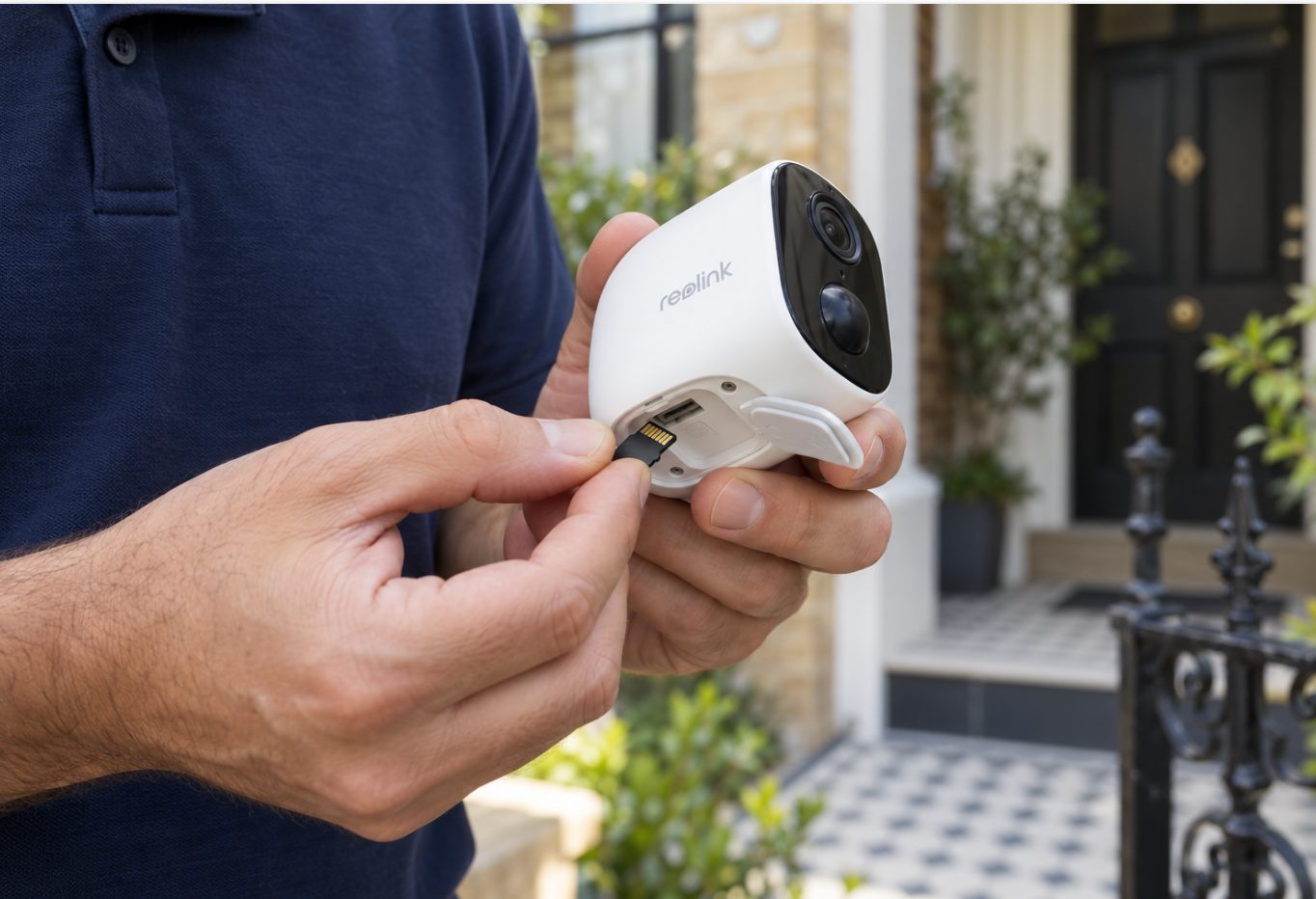
An SD card stores footage inside the camera, with no monthly fee, and a 64GB card holds around six months of motion recordings on average. The catch is that if someone takes or smashes the camera, the card usually goes with it. Cloud storage sends a copy of each clip off-site after it's recorded, so anything already uploaded survives, and that's the main reason to pay for it.
SD card vs cloud at a glance
| SD card only | SD card plus cloud copy | |
|---|---|---|
| Ongoing cost | None after the card | A monthly or yearly plan |
| How long footage is kept | Until the card fills and loops (depends on how often the camera triggers) | A fixed window, e.g. 90 or 180 days |
| Camera stolen | Footage leaves with the camera | Clips already uploaded stay safe |
| Camera smashed | Card may survive, may not | Clips already uploaded stay safe |
| Internet drops out | Keeps recording to the card | Card keeps recording; uploads stop until it's back |
| Sharing with police or an insurer | Download each clip through the app, while the camera is still there | Download or share from a web portal, from anywhere |
| Extra people need access | Share the app login or device | Invite them with their own access |
What happens to your footage if the camera is stolen
With an SD card, every recording lives on a small card inside the camera. When you scroll back through footage in the app, your phone is pulling it from that card over the internet. Once the camera is gone or offline, there's nothing left to play back.
Some Reolink devices now offer file encryption. Reolink says that when it's switched on, anyone who removes the SD card or hard drive and tries to play the recordings on a computer needs a decryption password, and the files stay encrypted even after a factory reset. Support depends on the model, hardware version and firmware, and is currently limited to the Home Hub series, some NVRs and selected cameras. Look for a Video File Encryption option in the device settings. Encryption protects your privacy. It doesn't get the footage back to you.
A smashed camera is less clear-cut. Sometimes the housing cracks and you can pull the card out and read it. Sometimes the card is damaged or the whole unit is gone. Don't build your plan around getting lucky.
With an off-site copy, each clip is uploaded after it's recorded. So the clips of someone walking up the path, looking around and reaching for the camera are usually stored somewhere else by the time they touch it. Those approach clips are often the most useful part of the story. The clip that's still recording when the camera is ripped down may not make it.
Where a Reolink Home Hub fits
A Home Hub is a middle option. It stores recordings from your cameras on a box inside the house. Reolink's set-up advice is to install the cameras outdoors and keep the Home Hub Mini indoors, connected to your router by Ethernet cable. A thief who grabs an outdoor camera doesn't get the hub.
It's still on your property, though. A burglar who gets inside could take it, and a fire would destroy it. Reolink's comparison table also says the Home Hub and Home Hub Pro work with Reolink Wi-Fi and PoE cameras, but not 4G cameras.
How much an SD card really holds
We measured 333 motion recordings from three Reolink cameras. The average clip was about 2 MB, 90% were under 3.4 MB, and the largest was 7.3 MB. The cameras triggered between 34 and 135 times a day, far more than the 10 to 15 times a day most people guess.
On those numbers, a 64GB card holds roughly six months of motion recording on average. That's an average, not a promise: it depends on how often your camera is triggered. A camera facing a busy street or a swaying tree fills the card much faster. When the card is full, the camera records over the oldest footage first. The full breakdown is in how much footage a 64GB SD card holds.
The worst case we've measured was a cobweb in front of one camera. It triggered almost non-stop: over 9,000 recordings and nearly 1 TB in a few days. On a card alone, something like that would overwrite weeks of real footage in days. If your card seems to fill up fast, start with fixing false alerts from spiders and trees.
A cloud plan works differently. You get a fixed window of 90 or 180 days, whatever the card is doing.
How much upload data a cloud copy uses
Using our averages, 34 to 135 clips a day at around 2 MB each works out to roughly 70 to 270 MB a day per camera. That's a small load for a typical home NBN connection. On a 4G camera running on a SIM with a data cap, it matters more.
Cut the false triggers before you turn on uploads. When we switched one busy business driveway camera to person-only detection with a detection zone, its recordings dropped by about 97%, from about 1,300 a day to under 40.
Sharing footage with police or your insurer
With an SD card, you open the app, find the clip, download it to your phone and send it on. That works fine, as long as the camera is still on the wall and online.
With an off-site copy, you can get to recordings from any browser. That helps if you're interstate when something happens, or if the camera is the thing that was stolen. WireFree Cloud also lets you invite another person, such as a partner, housemate or business co-owner, with their own access, so they can download a clip without needing your phone.
Timing matters too. Insurance claims and police matters can drag on for months, long after a busy camera's SD card has looped over the night in question. In WireFree Cloud you can mark a recording to keep, and it's held for up to 12 months.
Whichever way you store footage, send the original clip as recorded rather than a trimmed or screen-recorded version. Our guide on giving CCTV footage to NSW Police or your insurer covers the steps.
When an SD card on its own is enough
Plenty of people don't need a cloud plan. A card alone is usually enough if most of these apply:
- The camera is hard to reach. It's mounted high on a double-storey wall or under second-floor eaves, where nobody can grab it without a ladder.
- It's an indoor camera. Think a hallway, or a living room camera watching the dog.
- It covers low-risk areas. A backyard, side passage or pool area, where you mainly want to see what the possum did.
- You save clips promptly. If you check alerts and download anything important to your phone the same day, that download is your off-site copy.
- You'd rather not pay a monthly fee. That's a fair choice if the camera isn't easy to steal.
An off-site copy is worth it when:
- The camera is within reach. Single-storey fronts, terrace porches, rear-lane garages and carports are common in the Inner West and Eastern Suburbs, and many put the camera within arm's reach of the footpath.
- It watches a shop or business entry. That matters most after hours, when nobody is around to notice the camera's gone. See cameras for small businesses.
- You travel a lot, or other people need to see the footage too.
- The camera is on a site nobody visits for days, such as a 4G camera at a holiday house or storage shed.
What an off-site copy costs
WireFree Cloud keeps a copy of recordings from Reolink cameras, stored in Sydney. Each recording is uploaded over an encrypted (FTPS) connection.
| Plan | Monthly | Yearly |
|---|---|---|
| 1 camera, 90 days | $3.99 | $39 |
| 1 camera, 180 days | $5.99 | $59 |
| Up to 5 cameras, 90 days | $5.99 | $59 |
| Up to 5 cameras, 180 days | $9.99 | $99 |
Keep the SD card in the camera as the first copy. The cloud is the second copy, the one that survives if the camera doesn't. When we supply the Reolink cameras, WireFree Security fits a 64GB card and includes six months of WireFree Cloud, with no card details needed during the free period.
Not every Reolink camera can upload by itself. Reolink's list of which cameras support FTP uploading covers PoE cameras, most plug-in Wi-Fi models and a set of battery and 4G models, some only in specific hardware versions. Reolink says cameras not on that list can't upload on their own but can when connected to a Reolink NVR or Home Hub. Other brands such as Eufy, Arlo and Ring run their own cloud subscriptions, so check the maker's Australian site for current plans.
The short answer
Use the SD card in every camera and treat it as free storage. Then decide whether each camera needs a second copy somewhere else, based on one question: could someone reach it and take it?
If a camera is high, indoors or watching the backyard, and you save the important clips, a card is enough. If it's at arm's height on a street front or guarding a business, an off-site copy is the cheap insurance that means the footage of the theft still exists after the camera doesn't.
Common questions
Does cloud storage still work if my internet goes down?
No camera can upload while the internet is down. A camera with an SD card keeps recording to the card, so you still have local footage, but nothing new is copied off-site until the connection returns. If outages worry you, a 4G camera uses mobile data instead of your home connection. It's worth checking how your model handles clips recorded during an outage, because brands and firmware versions behave differently.
Can a thief watch my footage if they take the SD card?
If your Reolink device supports file encryption and it's switched on, the recordings need a password to play on a computer, even after the device is reset. Support depends on model, hardware version and firmware, so look for a Video File Encryption option in the app's device settings. On cameras without it, assume anyone holding the card could view the recordings.
Does a cloud plan replace the SD card?
No. Keep the card in the camera. It records everything locally, keeps working if the Wi-Fi drops, and lets you scroll back through footage quickly in the app. The cloud copy is a second copy that lives somewhere else. Together they cover the two common failures: a dead internet connection, and a camera that's stolen or smashed.
Is footage in WireFree Cloud private?
Each recording travels from the camera to storage in Sydney over an encrypted FTPS connection, and you view it through a web portal with your own login. If someone else needs to see footage, such as a partner or business co-owner, you invite them with their own access instead of sharing your password. You decide which recordings to download or share, and with whom.
How do I make a camera harder to steal in the first place?
Mount it out of reach. Above head height on a double-storey wall or under upper eaves, nobody can grab it without a ladder. Angle it down so it still captures faces at the door or gate. High mounting takes more work, so our double-storey or high access fee starts from $100 per camera. It won't stop a determined thief, but it rules out a quick grab from the footpath.
Sources
- Which Cameras/NVRs Support FTP Uploading — Reolink Support
- Introduction to Reolink's File Encryption Feature — Reolink Support
- Reolink Home Hub Mini — Reolink
General information, not legal advice. Prices are “from” prices; your quote depends on the site.